Hello everyone!
Here I’ll tell you how to change the text font in Quick Settings, the file manager, etc
(NOTE: This might not seem to work, but it does. This replaces the configuration files.)
(FydeOS v22)
Step 1.
Enable Developer mode
FydeOS Settings → Enable “Developer mode”
Step 2.
Press
Ctrl + Alt + T
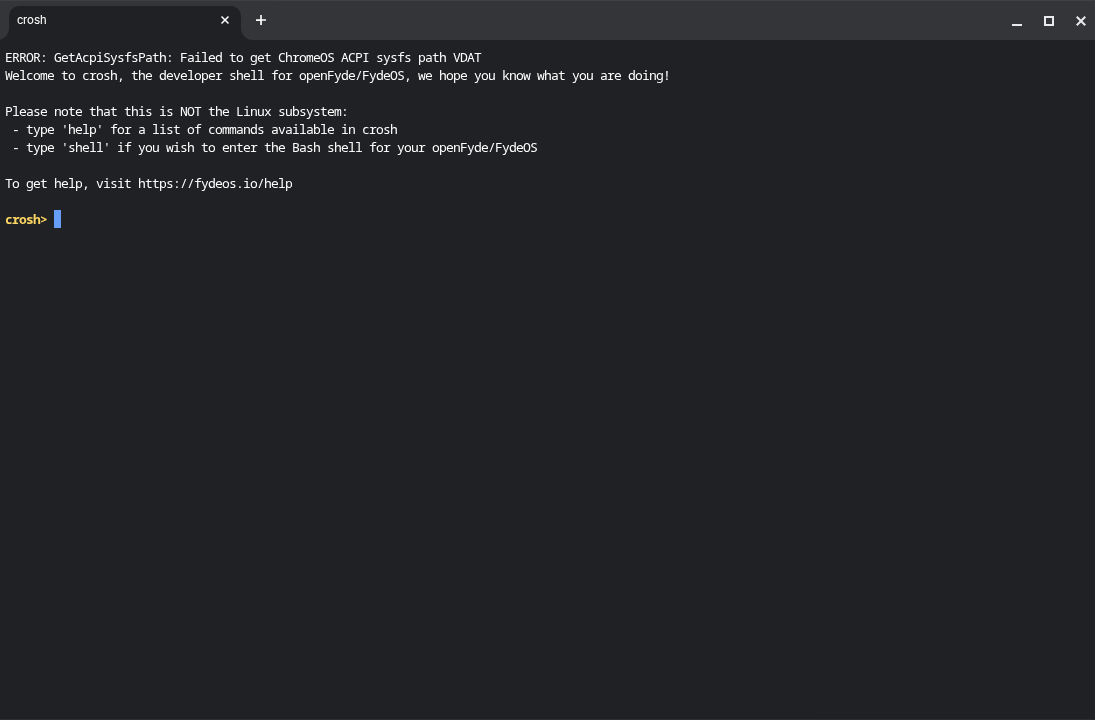
You shoud see something like this:
Step 3.
Type;
shell
You should see something like this:
“chronos@(boardname) / $”
Step 4.
Type
sudo -i
You should see something like this:
“(boardname) / #”
Step 5.
Type
rootdev -s
You should see:
/dev/mmcblk0p5
or
/dev/mmcblk0p3
or
/dev/nvmeblk0p5
or
/dev/nvmeblk0p3
ir you are in p3, type
/usr/share/vboot/bin/make_dev_ssd.sh --remove_rootfs_verification --partition 2
if you are in p5,
/usr/share/vboot/bin/make_dev_ssd.sh --remove_rootfs_verification --partition 4
Step 6. Then, type
reboot
Then,
Ctrl + Alt + T
shell
and
sudo -i
Step 7. Type
mount -o remount,rw /
If you get an error, repeat the step 5.
Step 8.
Download the fonts of ChromeOS Flex.
DOWNLOAD HERE
(v144)
Step 9. (Optional but recomended)
Create a backup of the fonts.
Type:
cd /usr/share
cp -r fonts /home/chronos/user/MyFiles/Downloads
Step 10.
Locate the fonts of ChromeOS and then, type:
rm fonts
cp -r /directory/of/the/folder/fonts /usr/share/fonts
Step 11.
Type:
reboot
With this, it should be ready
If the system don’t boot, enter the VT-2 on the screen of FydeOS
(Ctrl + Alt + F2)
then in
localhost login
type “root”
Then, type
cd /home/chronos/user/MyFiles/Downloads
type
rm /usr/share/fonts
cp -r fonts /usr/share/fonts
reboot
Thanks for reading!
Let me know any of your questions and your thoughts below.
Enjoy!