GAPPS are not showing up for me, even after installation.

Hello.
I am a new user of FydeOS.

I am facing an issue: the GApps are not appearing, even after installing them.

I watched many tutorials on YouTube and followed every step correctly, yet the GApps applications still do not show up.

Device information:

Device: HP EliteBook C735 G6

Processor: Ryzen 3 3300U

Graphics: Integrated AMD Vega 6

RAM: 8 GB

Storage: NVMe SSD

System Version: FydeOS for PC (AMD Graphics), v23.0-SP1, Non-commercial Edition

System Details:
Platform 16700.56.23.31
Chromium 150.0.7871.208
fyDroid 165337.165337

I hope someone can find a solution to this problem. Thank you.

*Apologies for any spelling errors; I am using Google Translate.

Reinstall the Gapps. Maybe something wrong with the installation. And make sure your internet is fine. Some countries need VPN to use google service.

1 Like

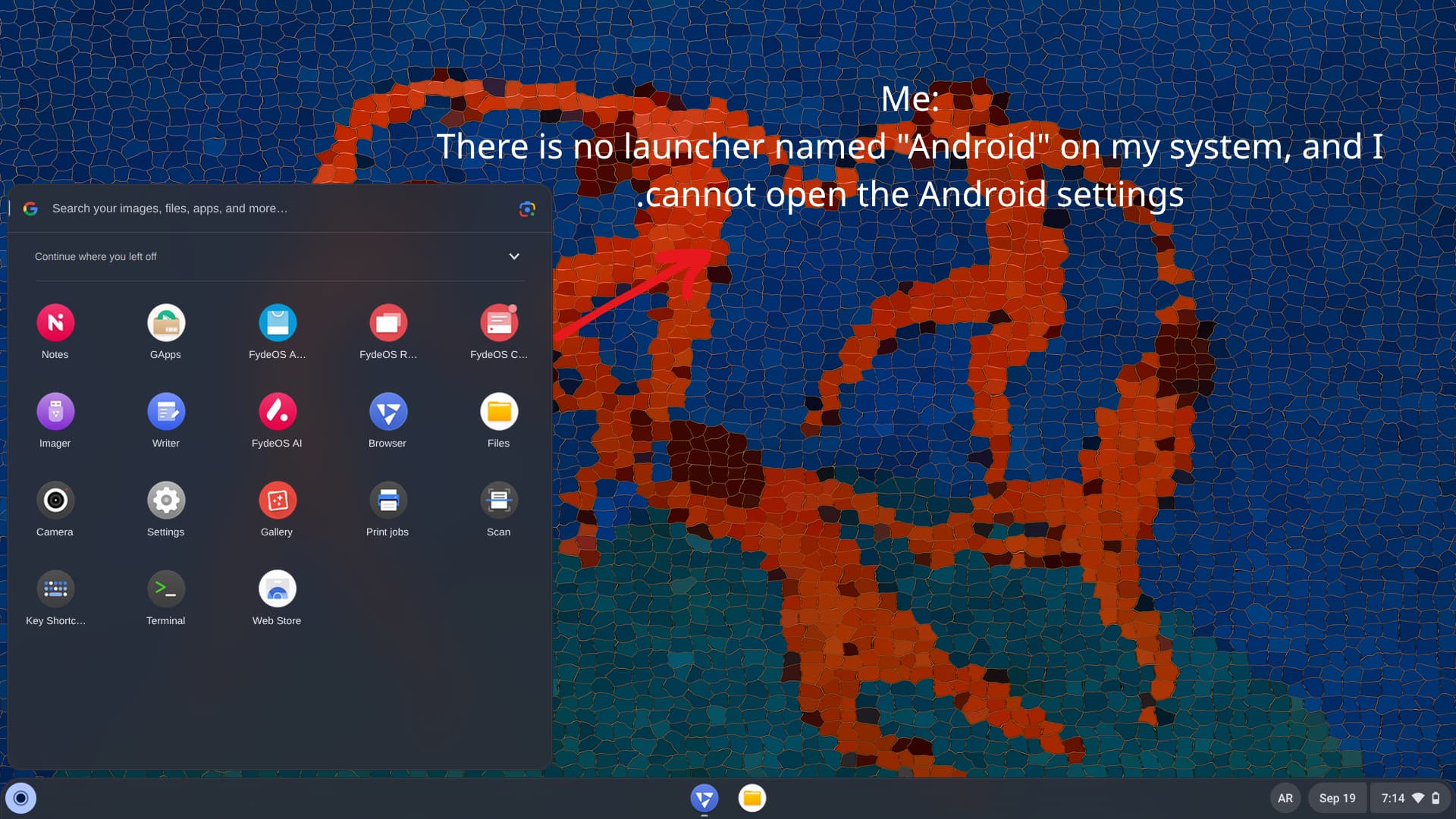
I have reinstalled it multiple times using various methods, yet the same problem persists. Also, in all the YouTube tutorials I watched, there is a launcher or program named “Android,” but I cannot find it in my programs list. Furthermore, I am unable to access the Android settings; I do not know why or what mistake I might have made during installation.

I hope the photos and the explanation are clear. Thank you for your reply.

I don’t think the android subsystem is working on your device since no fdroid app in the picture. There is no android setting app in the version but it’s in the system settings. Try powerwash and see whether there is an app call fdroid appears.
1 Like

Unfortunately, the problem wasn’t resolved even after performing a system Powerwash.

I suspect there might be a fault with my device or something else going on.


  • Is there another version I could try? Or a way to get the Android subsystem running?

Sorry for all the questions, but I’m still a beginner with this system.

Open the fydeos App Store and try to install any android app to see if it works.